Change Telephone Exchange Rank
| Command: | Change Exchange Rank |
| Menu path: | Copper > Exchange > Change Exchange Rank |
| Icon: | 
 |
| Functional description: | By running the command, telephone exchange rank is changed. |
Running Change Exchange Rank command changes
telephone exchange rank and symbol which represents the telephone exchange.
All the other telephone exchange properties entered via Properties
window will remain unchanged.
Procedure
From the main menu run Telephone Exchange >
Change Exchange Rank command.
The command is now active.
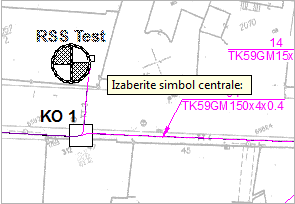
The cursor is displayed as a square with a message* next to it instructing you to select telephone exchange symbol (Figure 1). Select the symbol by clicking on it, or on its label. |
Figure 1 |
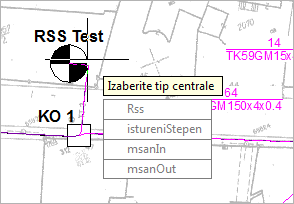
After clicking the symbol, the context menu (Figure 2) appears offering these options:
|
Figure 2 |
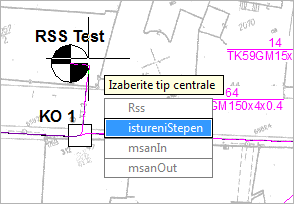
By moving the mouse over the menu items, the item background gets highlighted in blue color (Figure 3). |
Figure 3 |
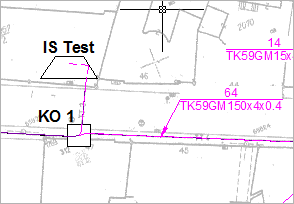
By clicking on one of the offered items, the rank of the exchange is changed. The symbol is also changed accordingly (Figure 4). |
Figure 4 |