FO Paths
| Command: | FO Paths |
| Menu path: | Fiber Optics > FO Paths |
| Icon: | 
 |
| Functional description: | After running the command,
the window for working with FO Paths opens. FO Paths are fiber optic cables organized into groups. |
FO paths are user defined sets of cables.
The purpose of grouping cables, i.e. FO paths into sets is to organize
infrastructure and provide easier accessibility among other things.
| Note: |
Defining (creating) new FO Paths is possible only in FO Paths window (as described on this page). |
Procedure
From the main menu run Fiber Optics > FO Paths command.
After running the command, the window for FO Path arrangement opens (Figure 1).
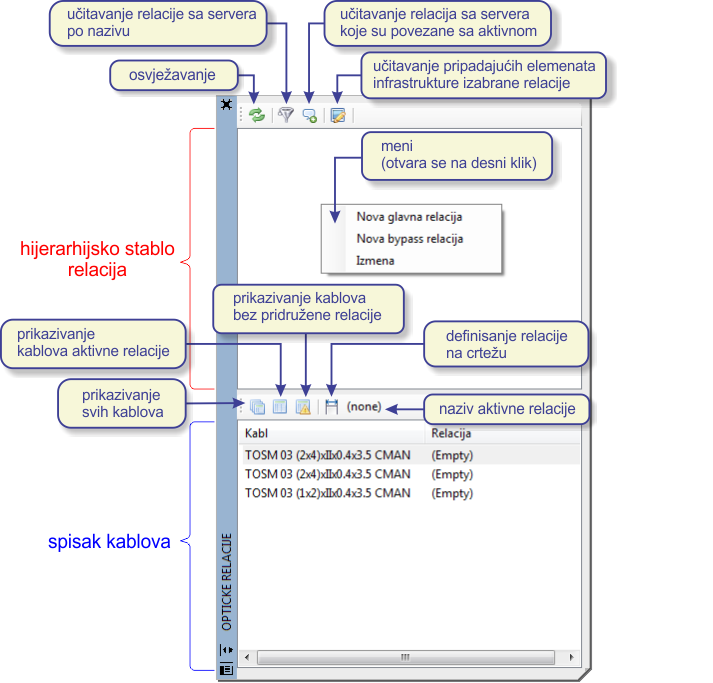
Figure 1
The window is divided into two parts:
- Hierarchical tree of FO Paths with corresponding commands,
- List of cables with corresponding commands
Tree FO path commands are as follows:
 - Refresh - (refreshes the window contents to
be in compliance with the active drawing (site plan drawing))
- Refresh - (refreshes the window contents to
be in compliance with the active drawing (site plan drawing)) - Load FO Path from Server
by Name - (finds the FO path searched by means of a key word and loads
it into the window (it still does not load the belonging cables))
- Load FO Path from Server
by Name - (finds the FO path searched by means of a key word and loads
it into the window (it still does not load the belonging cables)) - Load related
FO Paths from Server - (loades FO paths releted to the active FO path
from the server)
- Load related
FO Paths from Server - (loades FO paths releted to the active FO path
from the server) - Load All FO Path Objects - (loads (into the
drawing) all the cables of the selected FO path with the belonging
routes, FO nodal elements, and conduit network)
- Load All FO Path Objects - (loads (into the
drawing) all the cables of the selected FO path with the belonging
routes, FO nodal elements, and conduit network)
Cable list commands are as follows:
 - All Cables - (lists all cables of the active
drawing)
- All Cables - (lists all cables of the active
drawing) - Active FO Path Cables - (lists only cables
of FO Path selected in FO Path tree)
- Active FO Path Cables - (lists only cables
of FO Path selected in FO Path tree) - Non-associated cables
- (shows only cables which are not associated to any FO Path in the
list)
- Non-associated cables
- (shows only cables which are not associated to any FO Path in the
list) - Define FO Path in Drawing
(Obsolete! Use
FO schema to add cables to FO path instead.) - (starts the process
of adding cables to the FO path)
- Define FO Path in Drawing
(Obsolete! Use
FO schema to add cables to FO path instead.) - (starts the process
of adding cables to the FO path)
Defining FO paths
The following procedure only defines an FO path (empty set), the cables are joined subsequently.
Right-clicking within the free space of the FO path tree opens the menu
from which New Main FO Path command is selected.
Optical FO Path window opens where the name
and category of the FO path are defined (Figure 2).
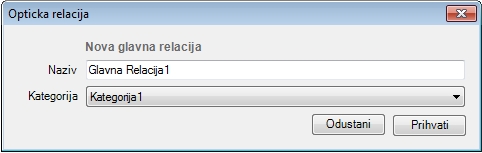
Figure 2
By clicking Accept, a new FO path has been made (Figure 3).
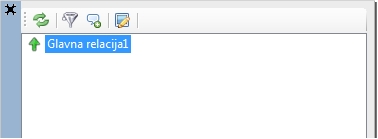
Figure 3
Now right-click on the newly created FO path.
The menu shows from which New Access Branch
command is selected.
The window then opens and is used to define the name and category of FO
path (access branch).
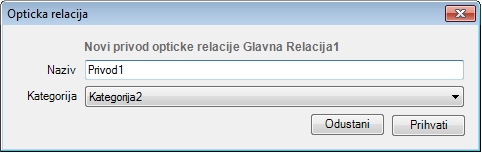
Figure 4
Again, by clicking Accept the FO path (access branch) is made.
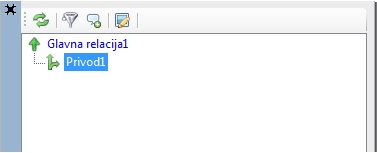
Figure 5
The procedure is repeated to create an access branch to the access branch, etc.
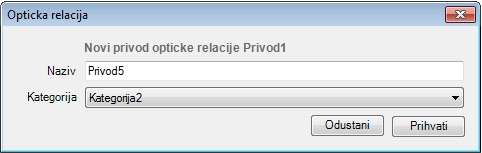
Figure 6
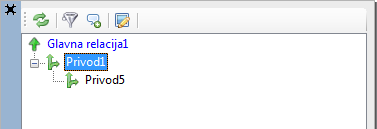
Figure 7
In this manner, it is possible to make the FO path tree structure completely as suitable to our needs.
| Note: |
The above procedure describes working from scratch, but in the operation with the database some kind of FO path tree structure already exists. |
Joining cables to FO paths
Now that we have defined FO paths, the cables should be joined to them.
It can be done in three ways:
- by running Add Cable to (Name) FO Path command
- by running Define FO Path in Drawing command
- on the schematic display (as described on Add Cables to FO Path (by using schematic display page)
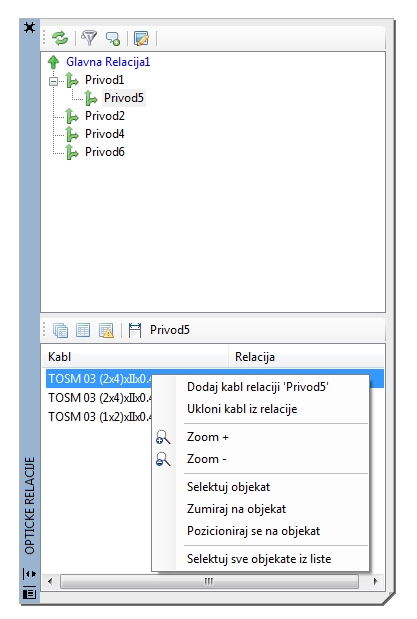
Figure 8
Method 1
First select the FO path in the FO path tree we wish the cables to join.
Right-click the cable on the list, open the menu from which Add
Cable to (Name) FO Path command is selected
(its actual name will stand instead of the FO path name).
The cable will be added to the FO path. The name of the FO path to which
the cable has been joined will now stand next to the name of the cable
in the list.
The procedure is repeated until all the cables we wish to join to the FO
path are actually joined.
Method 2
Metod 2 is by using Define FO Path in Drawing
() command.
This method is obsolite. Use method
3 insted.
Method 3 is described in detail on Add Cables to FO Path (by using schematic display) page.