Command: Edit ISP
| Command: | Edit ISP |
| Menu path: | Fiber Optics > Edit ISP |
| Icon: | 
 |
| Functional description: | It opens Edit ISP window which is used to edit inside plant facilities and connections. |
Edit ISP command opens Edit
ISP window.
It is used to display, arrange and connect infrastructure elements within
the building (inside plant).
The network elements which are physically encircled with building
symbol are automatically available for work within the Edit
ISP window.
In other words, when the building is opened, it will show only those elements
encircled by the polyline of a building symbol (Figure 1).
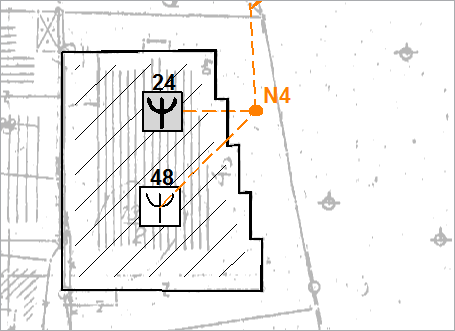
Figure 1
| Note: |
The building itself and its method of drawing on the site plan are described on Building page. |